Introduction to the Resource Library
The Resource Library The Resource Library enables you to build a digital, multilingual, and searchable knowledge base that contains your organization’s essential content. Available to your mobile users in the Mobile App, the Resource Library simplifies the distribution, discovery, and use of critical information—such as manuals and schematics—to support your field technicians in their work. The Resource Library serves as a mobile reference library for your field teams. enables you to build a digital, multilingual, and searchable knowledge base that contains your organization’s essential content. Available to your mobile users in the TrueContext Mobile App, the Resource Library simplifies the distribution, discovery, and use of critical information—such as manuals and schematics—to support your field technicians in their work. This topic describes the benefits of the Resource Library and how it works.
Available on the Intelligent and Elite tiers:
Contents
Benefits of providing field users with in-app resources
Productivity and performance
When you use the Resource Library to distribute critical content to your teams, you can significantly improve operational efficiency, service quality, and technician performance.
- Efficiency: Quick access to relevant information reduces time spent searching for solutions, enabling faster problem resolution.
- Accuracy: Detailed documents and visual aids help technicians make more precise diagnoses and perform repairs correctly the first time.
- Faster resolution of issues: Technicians can troubleshoot and work more efficiently with instant access to manuals and guides.
- Quality: Standardized procedures and reference materials ensure uniform service quality across different technicians and locations.
- On-the-Job Training: New technicians can learn from comprehensive guides and visual resources Resources are materials that field technicians can access while they work on records in the Mobile App. A resource might be a Resource Document, like a manual or a floor plan, or a Resource Image, like a schematic or a diagram. Resources are uploaded to a FormSpace and can be referenced in forms or made available in the Resource Library., reducing their time to proficiency.
Seamless access to content
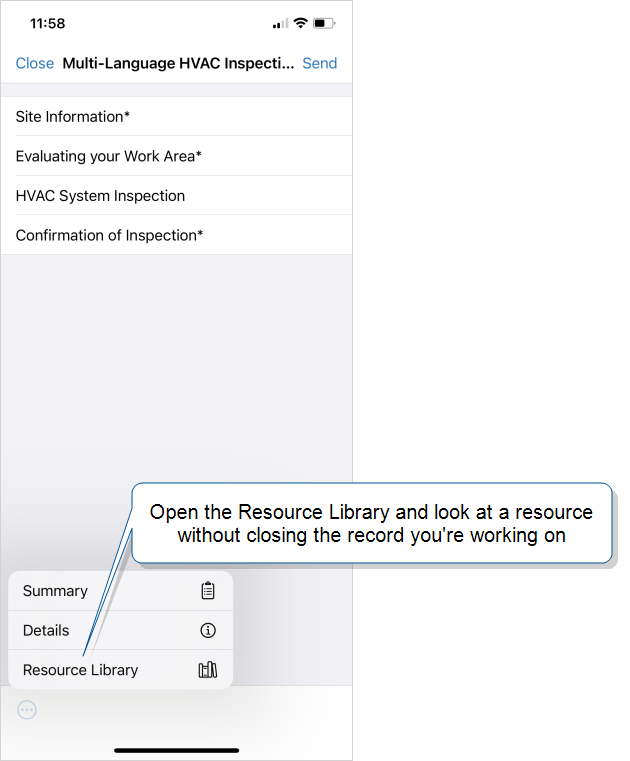
The Resource Library is available on the Mobile App at any point during a workflow. This means that mobile users can access resources without stopping work on a form.
You can also add resources to forms, for field users to reference or to sketch on or annotate. For example, you might add Resource Images and Resource Documents to a repair checklist to provide schematics.
Tip:You can also make resources available in multiple languages.
Resources used in forms
The resources within the library can be integrated into forms, further enhancing their utility.
File types in the Resource Library
You can add PDF, Excel, and Word documents to the Resource Library. All resource documents A Resource Document is a file, such as an equipment manual or floor plan, that you upload to a FormSpace in the TrueContext Web Portal. You can reference PDF Resource Documents in a form or make documents available to field technicians in the Resource Library, where Word and Excel files display as PDFs. open in a PDF viewer on the Mobile App. You can also add resource images A Resource Image is an image file, such as an equipment schematic or diagram, that helps field technicians complete their work. Form designers upload Resource Images (JPG, JPEG, or PNG) to a FormSpace and can reference them in forms or make them available in the Resource Library. When a Resource Image is updated, forms automatically use the latest version after the device reconciles. in JPEG, JPG, or PNG format.
Note: You can add Excel and Word documents to the Resource Library, but you can’t use them in a form.
How the Resource Library works
Mobile users
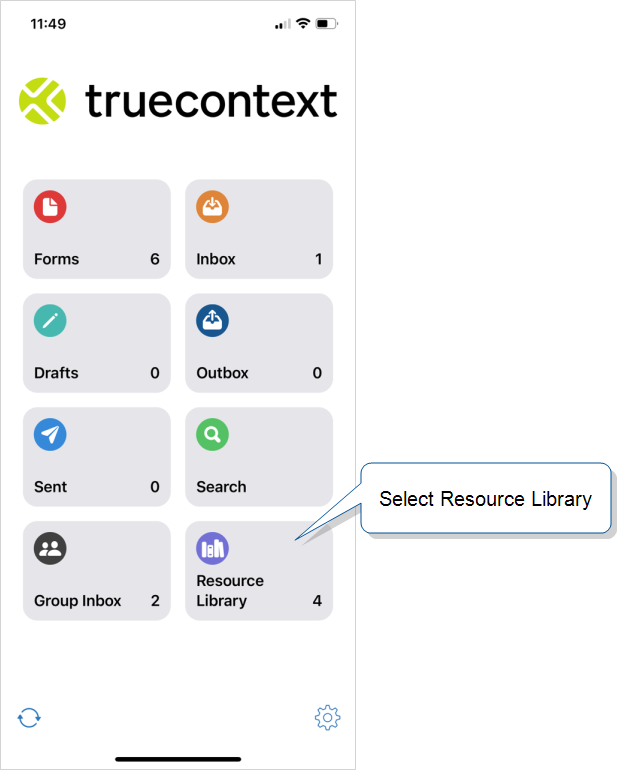
Mobile users access the Resource Library from the Mobile App home screen.
They can also open the Resource Library while they work without losing their place.
Info:The topic Resource Library for Mobile Users describes how field technicians open and use the Resource Library in the Mobile App.

Web Portal users
An Admin user or User in a group with Can Create FormSpace FormSpaces are where forms are stored and organized in the TrueContext Web Portal. A TrueContext Team may have multiple FormSpaces, depending on their needs. Admins can set FormSpace permissions to control which users have access to the forms in that FormSpace. permissions can upload resources and make them visible in the Resource Library.
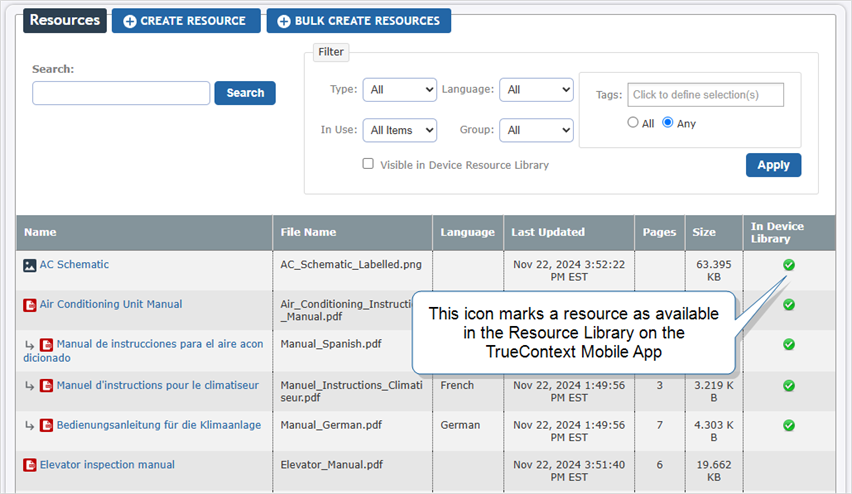
Admin users must enable the Resources tab so that mobile users can access the library on their devices.
Info:The topic Set Up the Resource Library describes how to make the Resource Library available to your team.
Resources in multiple languages
With the Multi-Language feature, you can link different language versions of a resource to the primary resource. In the Resource Library, a field technician can choose the version they want to display.
Info: If a field technician selects a preferred form language, resources open in that language by default whenever that language is available. The Multi-Language Feature Overview describes the preferred form language in more detail.
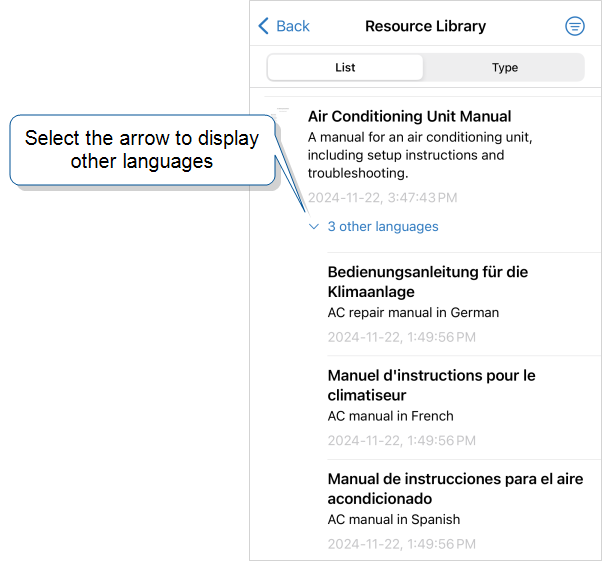
Info:The topic Add an Image or Document to the Resource Library describes how to set up a library resource. This includes how to set up a resource in multiple languages.